comark-annotate
compare
Two screenshots side by side or under a slider, and their props.
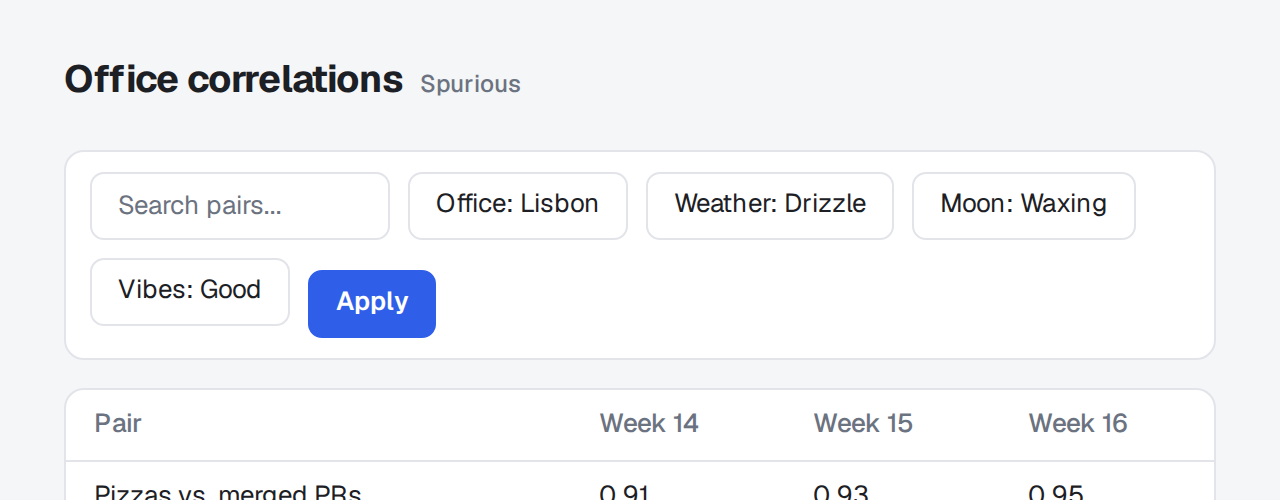
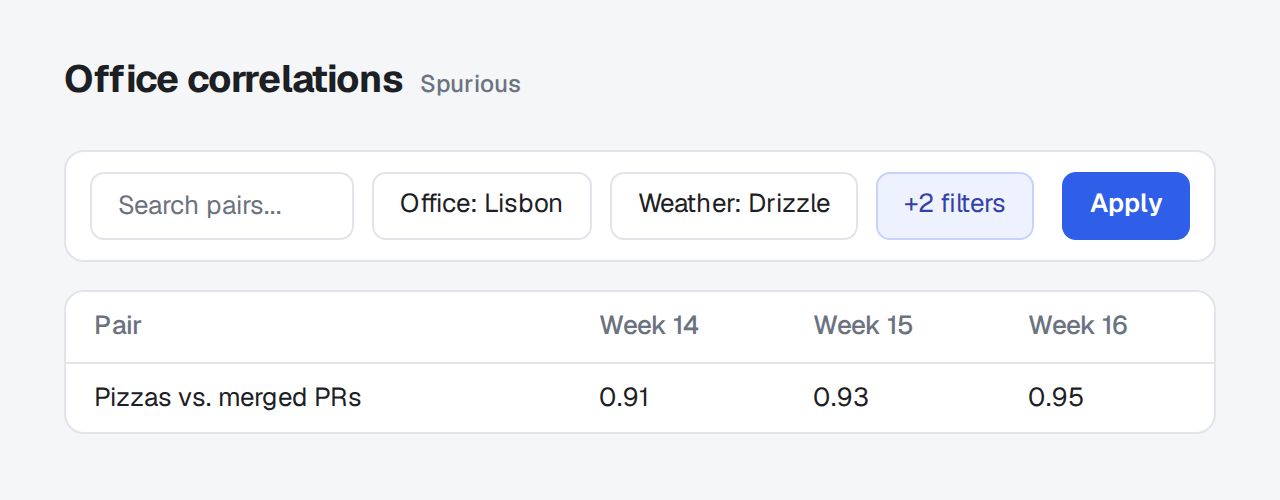
Two screenshots of the same view, before and after a change. They're titled Before and After unless they set their own title, and their notes are numbered on from one to the other.
 1
1- 1Apply sits lower than the chips.
 2
2- 2Fixed.
::compare{title="Toolbar alignment"}
:::screenshot{src="/before.png" alt="Toolbar wrapping" viewport="640x250"}
::::annotation{x=22.4 y=50.4 w=13.3 h=20.6 mark="circle" color="red"}
**Apply** sits lower than the chips.
::::
:::

:::screenshot{src="/after.png" alt="Toolbar on one row" viewport="640x250"}
::::annotation{x=82.5 y=34.8 w=10.5 h=14.2 mark="check" color="green"}
Fixed.
::::
:::
::Columns
Section titled "Columns"The default. The two screenshots sit side by side and stack on a narrow screen. They zoom as one gallery.
A note with side="left" or side="right" joins the numbered list under its screenshot. Beside it, the note would press against the other screenshot and shrink its own. A note with side="top" stays above.
Slider
Section titled "Slider"With mode="slider", the two screenshots share one frame: Before shows left of a divider, After right of it. Use it when the change is small and in one spot, so the reader sees it at full width.
- Drag anywhere on the pair to move the divider, or focus its handle and use the arrow keys.
- A click that doesn't drag zooms the pair.
- Side notes join the numbered list, since an arrow would cross the divider.
- Without the script, the two screenshots stack.
| Prop | |
|---|---|
title |
What the comparison shows, read out by screen readers. Defaults to "Comparison". |
mode |
columns (default) puts the screenshots side by side. slider lays one over the other with a divider to drag. |