comark-annotate
annotation
One mark on a screenshot and its note, and its props.
One mark on the screenshot. The block's content is its note.
- A note goes in the numbered list under the image.
- With
side, the note sits beside or above the image instead, and an arrow points from it to the mark. - Props can be inline, in a YAML props block, or bound with
:x.
 1A
1AA
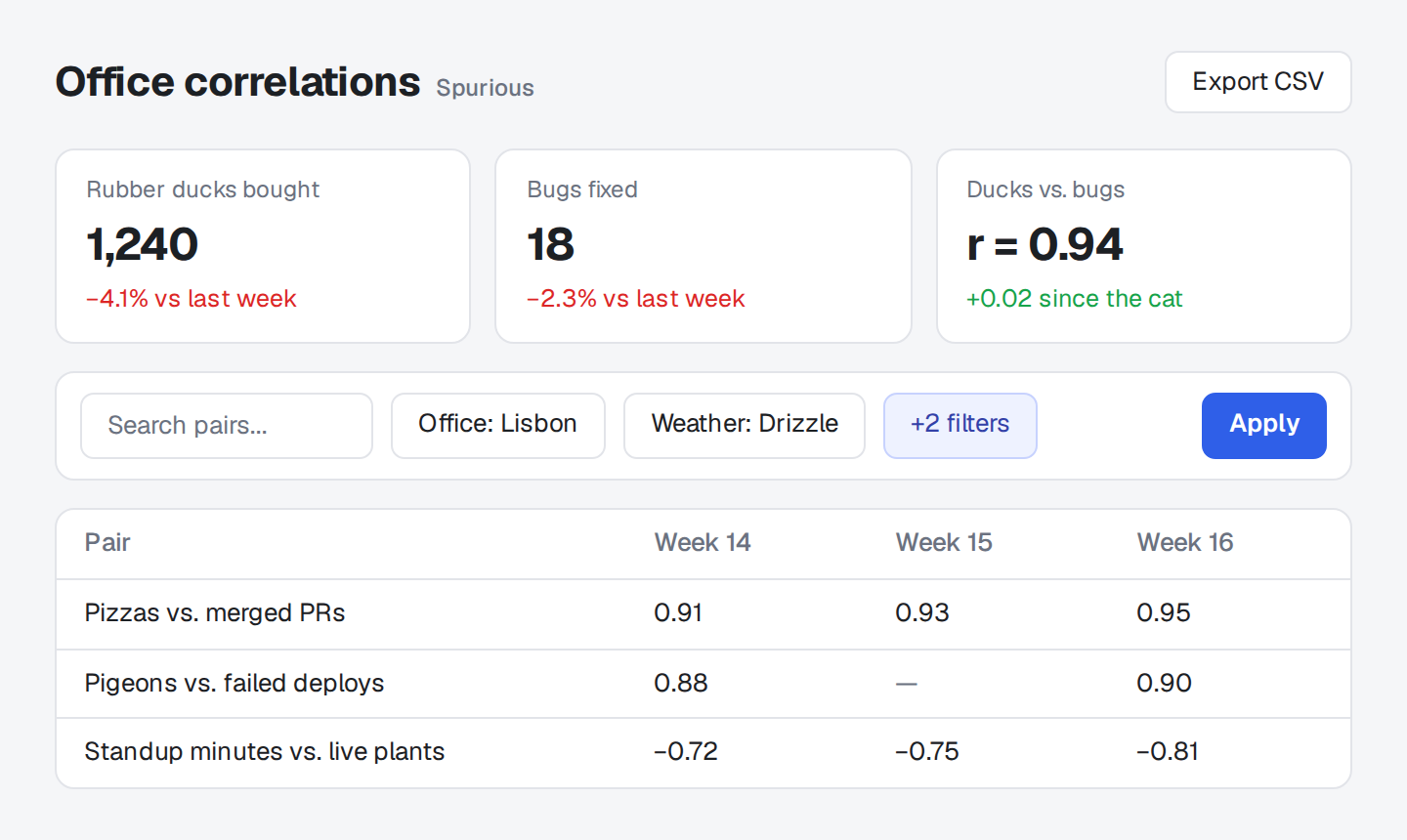
r now counts the office cat.
- 1Export CSV includes the filters you set.
::screenshot{src="/dashboard.png" alt="Office correlations dashboard"}
:::annotation{x=82.4 y=5.3 w=14.2 h=8.8 color="blue"}
**Export CSV** includes the filters you set.
:::

:::annotation{x=66.1 y=17 w=30.5 h=24.6 side="right" color="green"}
r now counts the office cat.
:::
::| Prop | |
|---|---|
x y w h |
The marked area, as percentages of the image: numbers from 0 to 100, without %. All four are required. |
mark |
box (default), circle, underline, line, highlight, bracket, cross, or check. A line runs straight through the middle of the box, along its longer side. none draws no mark and lets a side note's arrow point, so it needs a side. |
side |
left, right, or top puts the note beside or above the image, with an arrow. |
color |
blue (default) points something out, red flags a problem, amber a warning, green a fix, and gray anything neutral. A 3- or 6-digit hex color like #e11d48 works too.
|
Each mark wobbles a little, seeded by its box, so no two marks match and the same Markdown always draws the same marks. Every named color has a dark-mode value. A hex color's number stamp is white or dark, whichever reads better on it.